* Last Version : 0.2.7
* Release date : 2026-10-12 [Y-M-D]
- Patch date :
* Starting with version 0.2.0, the Windows version is distributed as an NSIS(Nullsoft Scriptable Install System) installer.
(e.g., dsnet-viewer-[Qt version]-[Version]-Setup-x86_64.exe)
* The description below is based on version v0.2.6.
[ Installation - Installer version ]
When you download the installation file, it will be downloaded with the filename "dsnet-viewer-[Qt version]-[Version]-Setup-x86_64.exe".
If you run this file in File Explorer or similar, the installation will proceed.
* The display varies as shown below, depending on the Qt version and the application version.
| Qt version | Version | Program name |
| Qt6 | 0.2.6 | DSNet Viewer (Qt6) 0.2.6 |
| Qt5 | 0.2.6 | DSNet Viewer (Qt5) 0.2.6 |
|
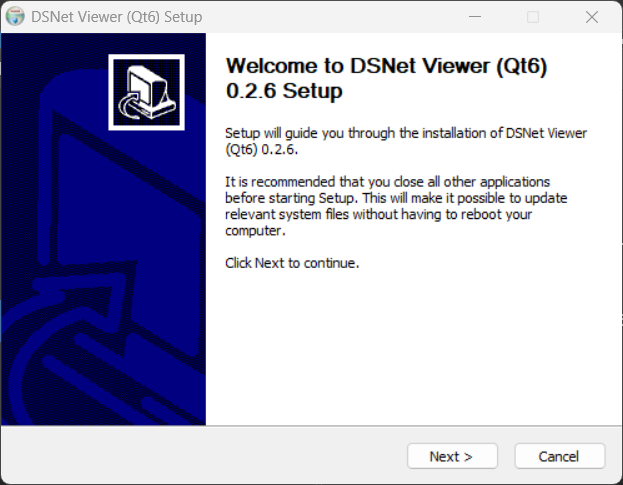
1. Click the [Next] button
|
|
|
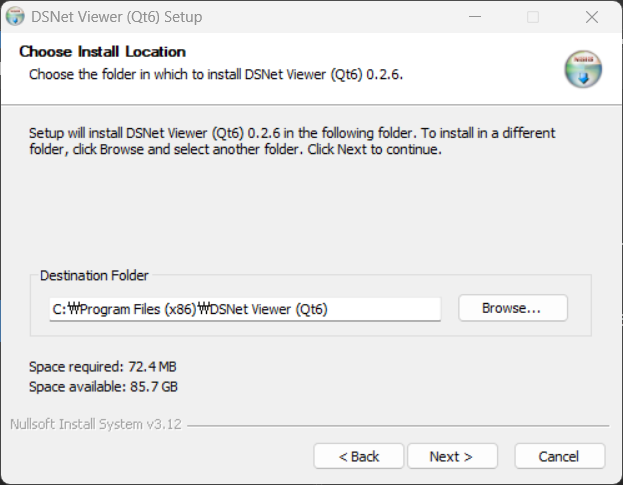
2. If you change the installation directory, click the [Next] button after changing the directory.
|
|
|
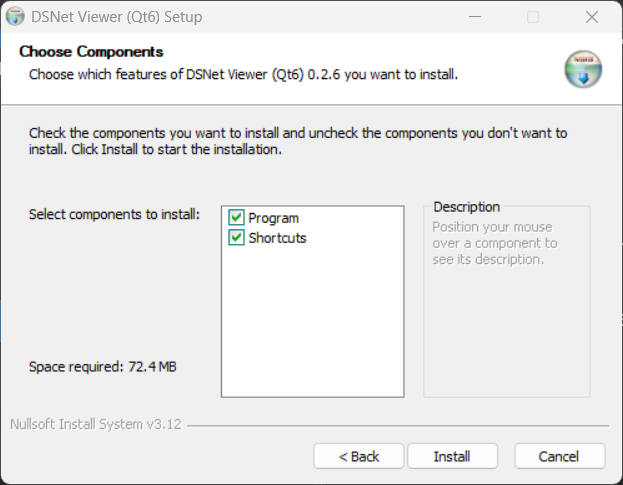
3. Select installation options and click the [Install] button.
- Program : DSNet Viewer program files.
- Shortcuts : Create program start menu and desktop shortcuts.
|
|
|
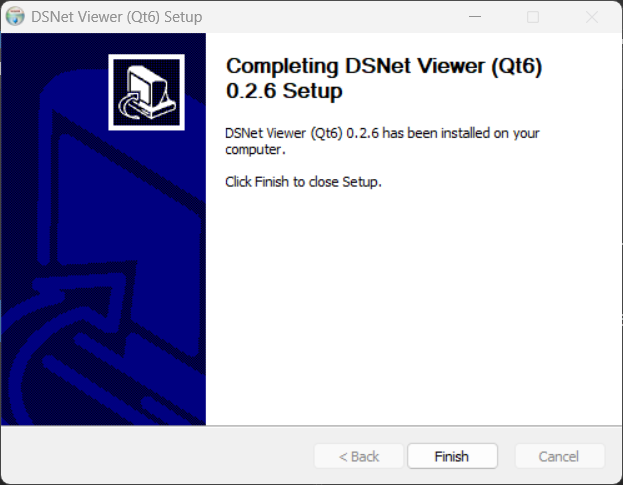
4. Installation complete
|
|
[ Run - Installer version ]
Click the Start menu or the program shortcut on the desktop.
|
( Qt6 )
|
 |
|
( Qt5 )
|
 |
[ Run - Portable version ]
Run the downloaded portable version file in File Explorer.
|
(Qt6)
|
 |
|
(Qt5)
|
 |
Alternatively,
you can launch the Command Prompt and run the executable file along with the path to the file you want to read.
(Windows 11 : Start > Windows Tools > Command Prompt)
(Windows 10 : Start > Windows System > Command Prompt)
> dsnet-viewer-qt6.exe [File path\File name]
ex) > dsnet-viewer-qt6.exe c:\data\test\iris.xlsx
|
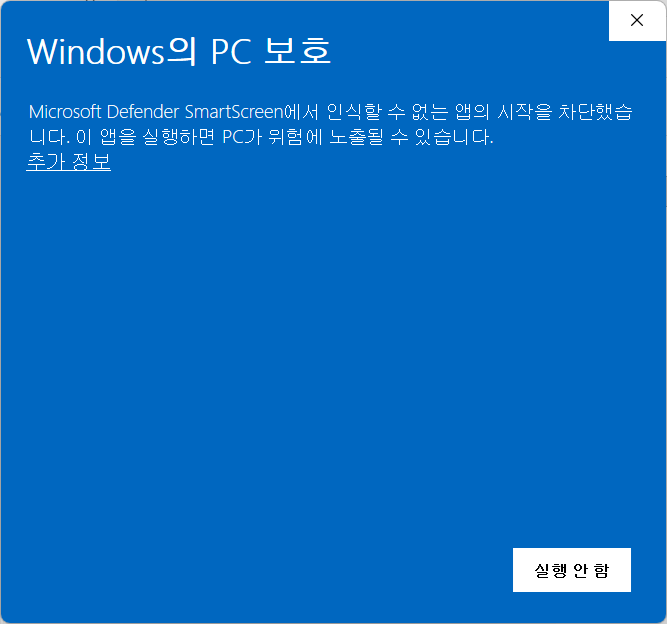
* If an error occurs when running a file on Windows, please refer to the information below.
|
 |
[ Uninstallation - Installer version ]
Remove the installed "DSNet Viewer ([Qt version]) [Version]" from "Add/Remove Programs".
| Qt version | Version | Program name |
| Qt6 | 0.2.6 | DSNet Viewer (Qt6) 0.2.6 |
| Qt5 | 0.2.6 | DSNet Viewer (Qt5) 0.2.6 |
|
( Qt6 )
|
 |
|
( Qt5 )
|
 |
[ Uninstallation - Portable version ]
Delete the downloaded file.
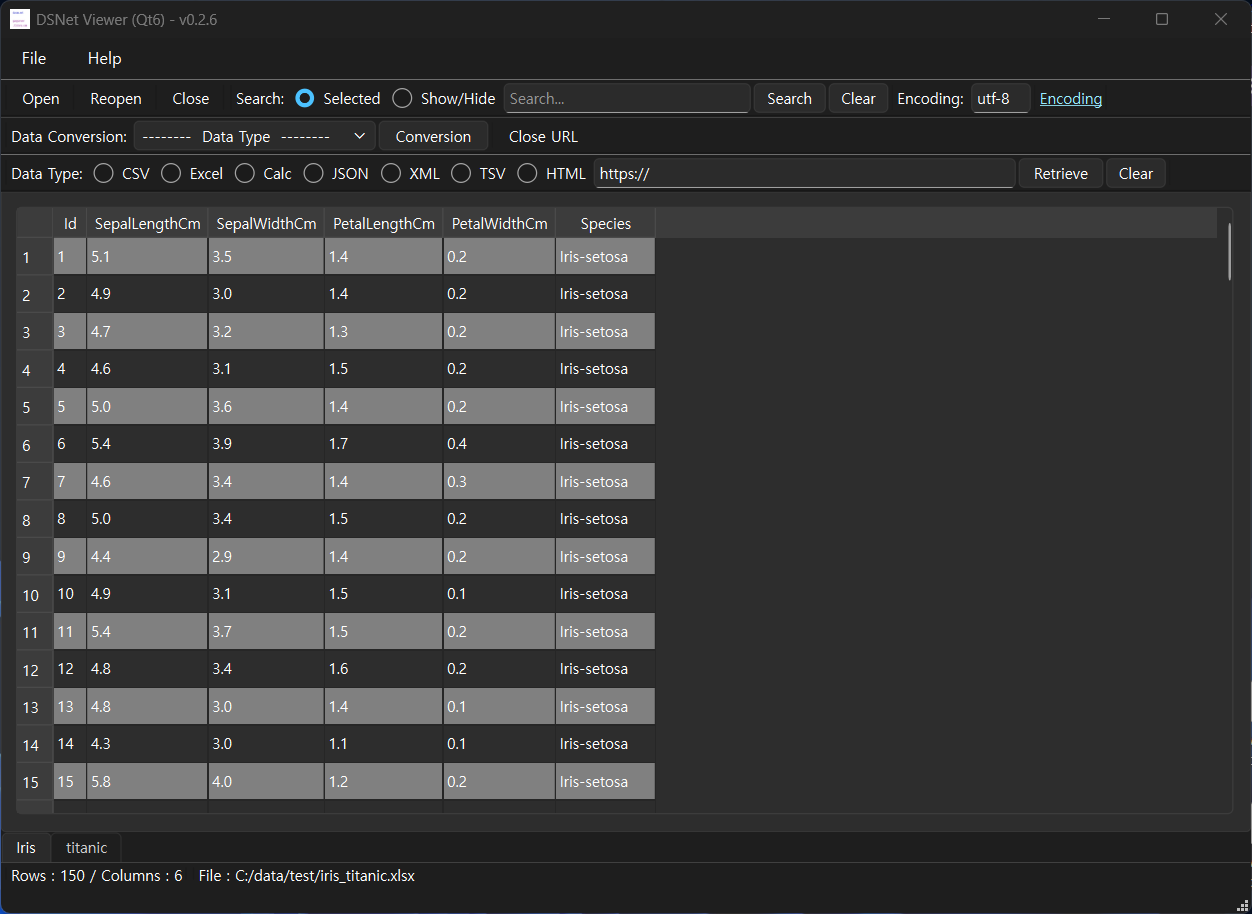
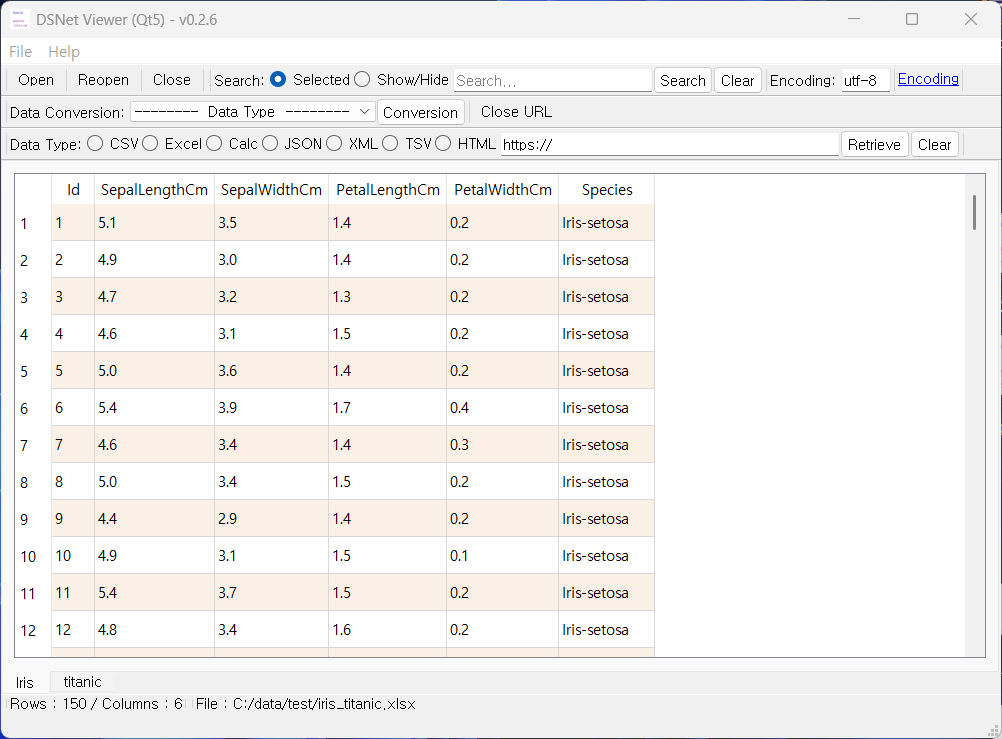
[ Running screen ] - Screen when OS dark theme is applied
* The first line of data is used as the column header name.
|
( Qt6 )
|
 |
|
( Qt5 )
|
 |
[ File hash check ]
File sha256 hash value :
( Qt6 )
- dsnet-viewer-qt6-0.2.6-Setup-x86_64.exe :
f3b753777e39a2f9ae39e6e931867fbaa2b9e828527b17e116d46a6a0b8b4327
- dsnet-viewer-qt6.exe :
cad6820bf8d096dc80bf5c174e77c2cd699c872b5760f21103deddd842d5652d
f3b753777e39a2f9ae39e6e931867fbaa2b9e828527b17e116d46a6a0b8b4327
- dsnet-viewer-qt6.exe :
cad6820bf8d096dc80bf5c174e77c2cd699c872b5760f21103deddd842d5652d
( Qt5 )
- dsnet-viewer-qt-0.2.6-Setup-x86_64.exe :
e6ea35077299f1f7aeb5c8a02f60895ef36aaf662b99ce4b2e75144c20adea22
- dsnet-viewer-qt.exe :
f79718004c9a7e65fb2301c5f9790140f7eacb3cfcdf90354cb3dcc3800aff79
e6ea35077299f1f7aeb5c8a02f60895ef36aaf662b99ce4b2e75144c20adea22
- dsnet-viewer-qt.exe :
f79718004c9a7e65fb2301c5f9790140f7eacb3cfcdf90354cb3dcc3800aff79
* To check the SHA256 hash of a file in Windows 11,
use the PowerShell command Get-FileHash <file_path> -Algorithm SHA256.
use the PowerShell command Get-FileHash <file_path> -Algorithm SHA256.
Alternatively, use certutil -hashfile <file_path> SHA256 in Command Prompt.
[ Command Prompt ]
C:\Users\gangserver\Downloads>certutil -hashfile dsnet-viewer-qt6-0.2.6-Setup-x86_64.exe SHA256
SHA256의 dsnet-viewer-qt6-0.2.5-Setup-x86_64.exe 해시:
f3b753777e39a2f9ae39e6e931867fbaa2b9e828527b17e116d46a6a0b8b4327
CertUtil: -hashfile 명령이 성공적으로 완료되었습니다.
[ PowerShell ]
PS C:\Users\gangserver\Downloads> Get-FileHash dsnet-viewer-qt6-0.2.6-Setup-x86_64.exe -Algorithm SHA256
Algorithm Hash Path
--------- ---- ----
SHA256 F3B753777E39A2F9AE39E6E931867FBAA2B9E828527B17E116D46A6A0B8B4327 C:\Users\gangserver\Downloads\dsnet-viewer-qt6-0.2.5-Se...
Algorithm Hash Path
--------- ---- ----
SHA256 F3B753777E39A2F9AE39E6E931867FBAA2B9E828527B17E116D46A6A0B8B4327 C:\Users\gangserver\Downloads\dsnet-viewer-qt6-0.2.5-Se...
[ Development environment ]
(* Bold text indicates updated modules.)
python : 3.14.x
pandas : 3.0.6
python-calamine : 0.8.2
lxml : 6.1.3
xlsxwriter : 3.2.9
openpyxl : 3.1.5
xlrd : 2.0.2
odfpy : 1.4.1
xlrd : 2.0.2
odfpy : 1.4.1
pyinstaller : 6.22.3
beautifulsoup4 : 4.15.0
html5lib : 1.1
( Qt6 )
PySide6 : 6.11.2
( Qt5 )
PyQt5 : 5.15.11