* Last Version : 0.2.7
* Release date : 2026-10-12 [Y-M-D]
- Patch date :
* Starting with version 0.2.0, the Ubuntu version is distributed as a Debian package(.deb).
(e.g., dsn-viewer-[Qt version]_[Version]_amd64.deb)
* The description below is based on version v0.2.6.
[ Installation - Debian package version(.deb) ]
After running the terminal, change to the downloaded directory
and execute the Debian packaging installation command as follows.
* The display varies as shown below, depending on the Qt version and the application version.
| Qt version | Version | File name |
| Qt6 | 0.2.6 | dsnet-viewer-qt6_0.2.6_amd64.deb |
| Qt5 | 0.2.6 | dsnet-viewer-qt_0.2.6_amd64.deb |
( Qt6 )
$ sudo dpkg -i dsnet-viewer-qt6_0.2.6_amd64.deb
or
$ sudo apt install ./dsnet-viewer-qt6_0.2.6_amd64.deb
( Qt5 )
$ sudo dpkg -i dsnet-viewer-qt_0.2.6_amd64.deb
or
$ sudo apt install ./dsnet-viewer-qt_0.2.6_amd64.deb
[ Run - Debian package version(.deb) ]
Click the installed "DSNet Viewer ([Qt version])" app to run it.
|
( Qt6 )
|
 |
|
( Qt5 )
|
 |
[ Run - AppImage version ]
- Check execution permissions
Please check if the "dsnet-viewer-[Qt version]-[version]-x86_64.AppImage" file has execute permissions.
If you do not have execute permissions, please run the terminal and add the permissions below.
* The display varies as shown below, depending on the Qt version and the application version.
| Qt version | Version | File name |
| Qt6 | 0.2.6 | dsnet-viewer-qt6-0.2.6-x86_64.AppImage |
| Qt5 | 0.2.6 | dsnet-viewer-qt-0.2.6-x86_64.AppImage |
( Qt6 )
$ chmod u+x dsnet-viewer-qt6-0.2.6-x86_64.AppImage
( Qt5 )
$ chmod u+x dsnet-viewer-qt-0.2.6-x86_64.AppImage
- Run
( Qt6 )
$ ./dsnet-viewer-qt6-0.2.6-x86_64.AppImage
or
$ ./dsnet-viewer-qt6-0.2.6-x86_64.AppImage [File path/File name]
ex.) $ ./dsnet-viewer-qt6-0.2.6-x86_64.AppImage ~/data/sample.xlsx
( Qt5 )
$ ./dsnet-viewer-qt-0.2.6-x86_64.AppImage
or
$ ./dsnet-viewer-qt-0.2.6-x86_64.AppImage [File path/File name]
ex.) $ ./dsnet-viewer-qt-0.2.6-x86_64.AppImage ~/data/sample.xlsx
[ Run - Portable version ]
- Check execution permissions
Please check if the "dsnet-viewer-[qt version]" file has execute permissions.
If you do not have execute permissions, please run the terminal and add the permissions below.
( Qt6 )
$ chmod u+x dsnet-viewer-qt6
( Qt5 )
$ chmod u+x dsnet-viewer-qt
- Run
( Qt6 )
$ ./dsnet-viewer-qt6
or
$ ./dsnet-viewer-qt6 [File path/File name]
ex.) $ ./dsnet-viewer-qt6 ~/data/sample.xlsx
( Qt5 )
$ ./dsnet-viewer-qt
or
$ ./dsnet-viewer-qt [File path/File name]
ex.) $ ./dsnet-viewer-qt ~/data/sample.xlsx
[ Uninstallation - Debian package version(.deb) ]
After running the terminal, execute the Dabian packaging removal command as follows.
( Qt6 )
$ sudo apt remove dsnet-viewer-qt6
( Qt5 )
$ sudo apt remove dsnet-viewer-qt
[ Uninstallation - AppImage version / Portable version ]
Delete the downloaded file.
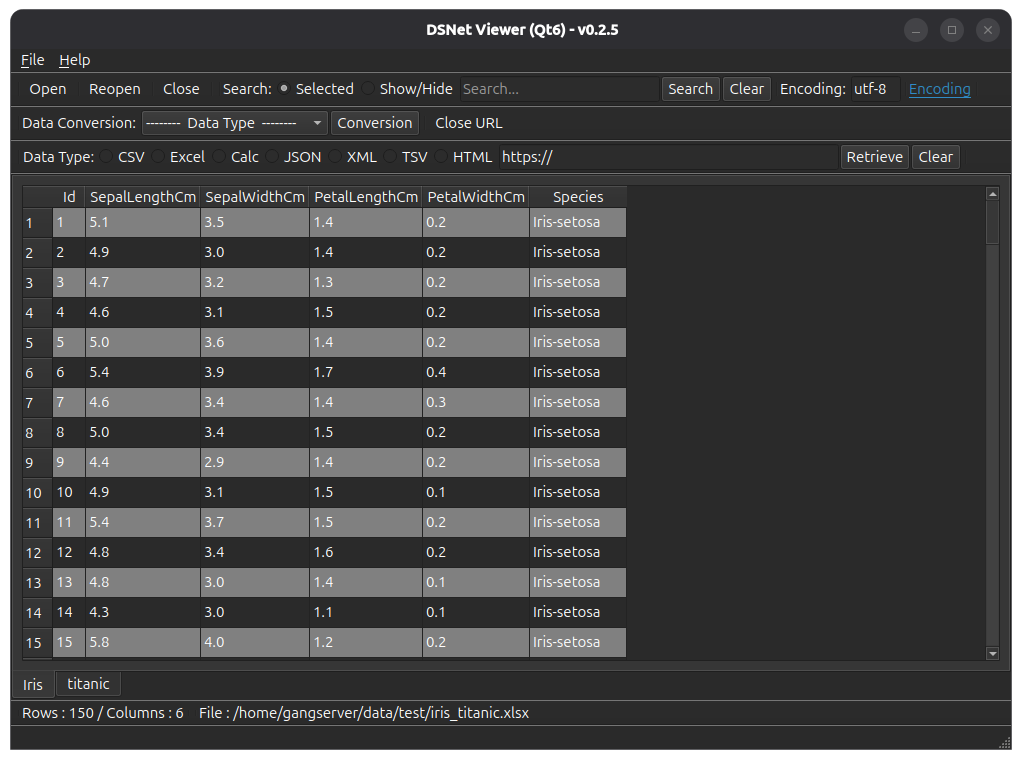
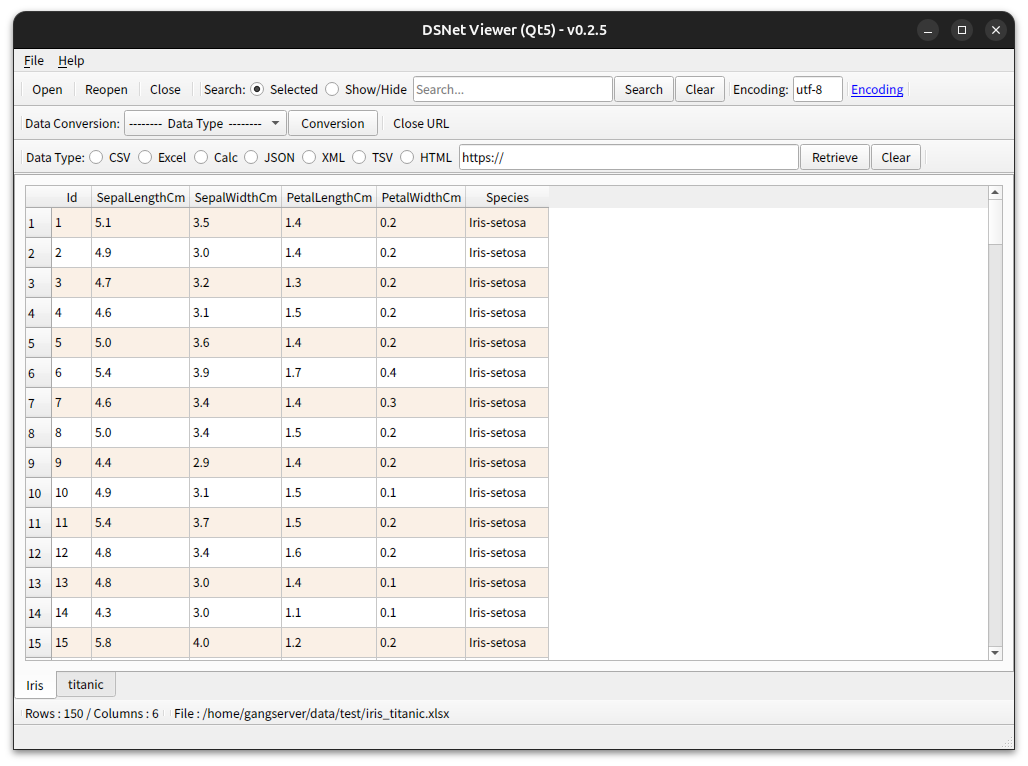
[ Running screen ] - Screen when OS dark theme is applied
* The first line of data is used as the column header name.
|
( Qt6 )
|
 |
|
( Qt5 )
|
 |
[ File hash check ]
File SHA256 hash value :
( Qt6 )
- dsnet-viewer-qt6_0.2.6_amd64.deb :
d61851d4e684cd47820b5b4879e4508c63541abb781546590f0fa4f49494a84a
- dsnet-viewer-qt6-0.2.6-x86_64.AppImage :
4309a9045103f6c3e8d3254944154450cd84ed3a310a0ef3be57f6adbbb1b792
- dsnet-viewer-qt6 :
aa10f1da3280257462a08862178c8857e37db0659cf979e408d7b2faf0c0f2c7
( Qt5 )
- dsnet-viewer-qt_0.2.6_amd64.deb :
52227de73dced97b8a000a6776b18488a3fd3519f0b222af8e26d9898cefc6e3
- dsnet-viewer-qt-0.2.6-x86_64.AppImage :
d15c298fec554ab8b4f90bcbc93a76dcdd6c4e4bdb75181ad697ce9f889932f2
- dsnet-viewer-qt :
db90c77b5d1eadd53867db00e94cfaaf0e0620e2cc7877f6dab5619a1aff2898
* To check the SHA256 hash of a file in Ubuntu,
use the Terminal command sha256sum <file_path>
$ sha256sum dsnet-viewer-qt6_0.2.6_amd64.deb
d61851d4e684cd47820b5b4879e4508c63541abb781546590f0fa4f49494a84a dsnet-viewer-qt6_0.2.6_amd64.deb
d61851d4e684cd47820b5b4879e4508c63541abb781546590f0fa4f49494a84a dsnet-viewer-qt6_0.2.6_amd64.deb
[ Development environment ]
python : 3.12.x
pandas : 3.0.6
python-calamine : 0.8.2
lxml : 6.1.3
xlsxwriter : 3.2.9
openpyxl : 3.1.5
xlrd : 2.0.2
odfpy : 1.4.1
xlrd : 2.0.2
odfpy : 1.4.1
pyinstaller : 6.22.3
beautifulsoup4 : 4.15.0
html5lib : 1.1
( Qt6 )
PySide6 : 6.11.2
( Qt5 )
PyQt5 : 5.15.11